The VIVO Dual LED LCD Monitor Mount review centers on a freestanding stand built for two screens, with a broad size range and flexible positioning.
Its large padded base avoids a desk clamp, but the stand needs enough desk area and careful screen placement.
VIVO Dual Mount Review Summary
The quick verdict
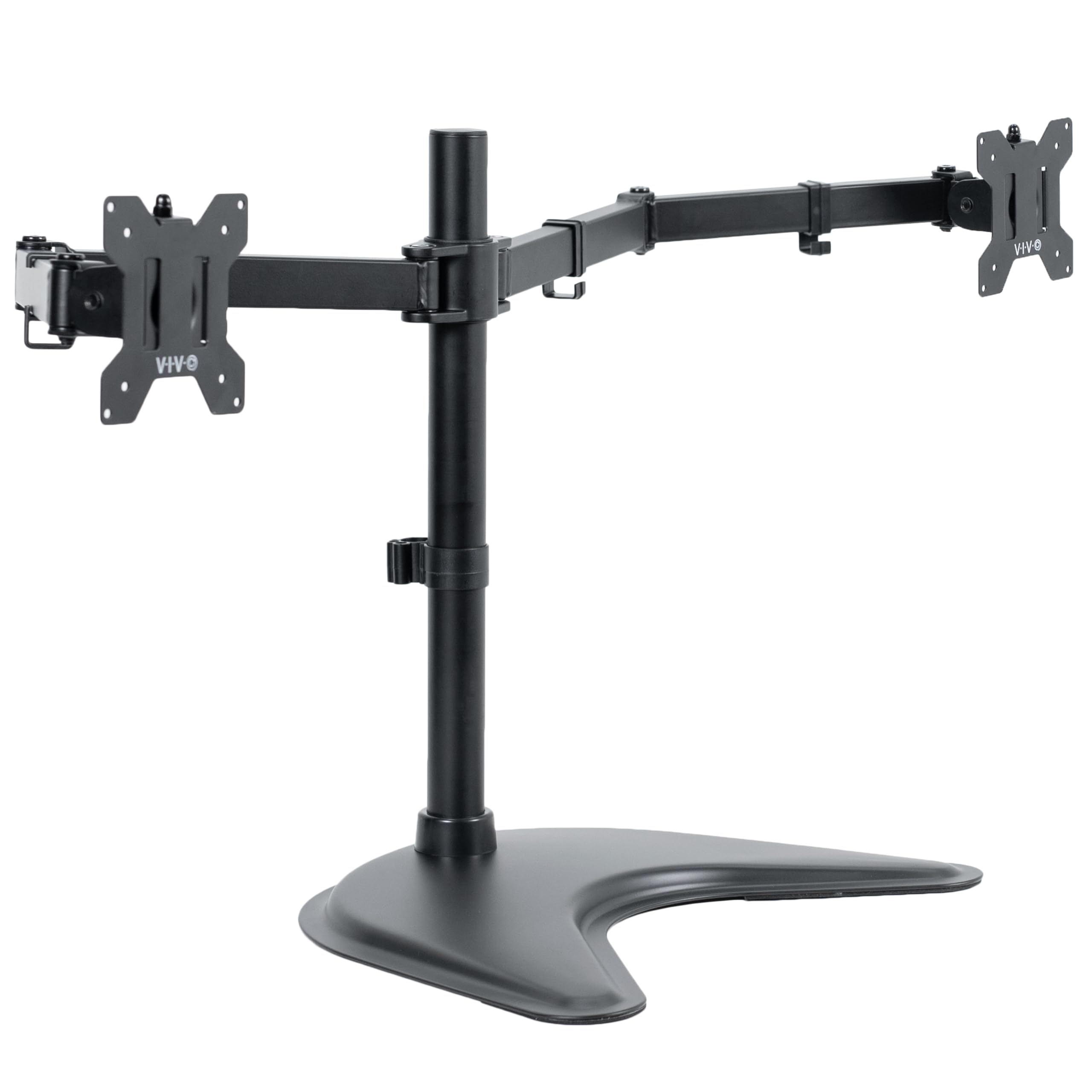
16,000+ ratings
Read Amazon ReviewsVIVO STAND-V038F Dual Monitor Mount
A freestanding dual-screen mount for desk users who need flexible positioning for two monitors, including ultrawides up to 38 inches.
- Holds two monitors sized 13 to 38 inches, up to 22 pounds per screen.
- Compatible with 75 x 75 mm and 100 x 100 mm backside VESA mounting holes.
- Arms provide +90 to -90 degree tilt, 180-degree swivel, 360-degree rotation, and height adjustment along the center pole.
- Freestanding base measures 16.3 x 12.8 inches and has padding underneath.

Pros
- Accommodates two large monitors, including screens up to 38 inches, within its stated weight and VESA limits.
- Multiple adjustment directions allow users to tailor screen angle and orientation.
Consider before buying
- The 16.3 x 12.8 inch base occupies a meaningful portion of the desktop; measure the available area before choosing it.
- The stand's guidance advises against moving monitors too far forward or backward unless the mount is bolted down, so frequent deep repositioning may not suit the setup.
Read the full review summary
The STAND-V038F is designed for two monitors from 13 to 38 inches, each weighing up to 22 pounds and using a 75 x 75 mm or 100 x 100 mm VESA pattern.
Tilt, swivel, rotation, and height adjustment along the center pole make it suitable for arranging a side-by-side workspace around different viewing positions.
Its defining choice is the freestanding base: the 16.3 x 12.8 inch footprint sits on the desktop and has padding underneath to help protect the surface.
This can suit desks where a clamp is inconvenient, provided the base fits and both screens stay within the stand's center of gravity.
Cable clips, detachable VESA plates, included assembly hardware, and a three-year warranty round out the practical package.
The buying factors
VIVO Dual Mount Scorecard
Editorial scores reflect listed features and buyer fit; they are not laboratory measurements or customer ratings.
Screen compatibility
Supports two 13-to-38-inch monitors up to 22 pounds each with common 75 x 75 mm or 100 x 100 mm VESA patterns.
Positioning flexibility
Offers tilt, 180-degree swivel, 360-degree rotation, and height adjustment along the center pole.
Desk setup flexibility
The freestanding design does not require a desk-edge clamp, though its base takes up substantial surface area.
Cable organization
Detachable clips on the arms and center pole provide a route for power and AV cables.
Installation support
Detachable VESA plates, assembly instructions, and hardware are included.
Large-screen stability planning
A broad padded base supports the setup, but the guidance cautions against pulling screens far forward or backward unless the stand is bolted down.
Key Features and Specifications of VIVO Dual Mount
- Holds two monitors sized 13 to 38 inches, up to 22 pounds per screen.
- Compatible with 75 x 75 mm and 100 x 100 mm backside VESA mounting holes.
- Arms provide +90 to -90 degree tilt, 180-degree swivel, 360-degree rotation, and height adjustment along the center pole.
- Freestanding base measures 16.3 x 12.8 inches and has padding underneath.
- Detachable cable clips run along the arms and center pole.
- Detachable VESA plates, assembly instructions, and hardware are included; the product carries a three-year warranty.
Pros and Cons of VIVO Dual Mount
Pros
- Accommodates two large monitors, including screens up to 38 inches, within its stated weight and VESA limits.
- Multiple adjustment directions allow users to tailor screen angle and orientation.
- Freestanding mounting can work where attaching a clamp to the desk is undesirable or impractical.
- Cable clips and detachable VESA plates make setup and cable routing more manageable.
Consider before buying
- The 16.3 x 12.8 inch base occupies a meaningful portion of the desktop; measure the available area before choosing it.
- The stand's guidance advises against moving monitors too far forward or backward unless the mount is bolted down, so frequent deep repositioning may not suit the setup.
- Buyers need to verify monitor weight, VESA pattern, and base placement together, especially with two large screens.
Who Should Buy VIVO Dual Mount?
Good fit
Consider the VIVO STAND-V038F if you want two monitors on one freestanding mount and your screens fall within its 13-to-38-inch, 22-pound-per-screen, and VESA limits.
It gives you several ways to align the screens while keeping their cables routed along the arms and center pole.
It is especially worth considering when you do not want a desk-edge clamp and can dedicate enough surface area to the base.
Before ordering, measure the base footprint against your usable desk space and confirm that the screens can sit within the stand's center of gravity.
Who should skip it
Choose another mounting approach if your desk cannot spare a 16.3 x 12.8 inch footprint, or if your monitors exceed the stated size, weight, or VESA limits.
Look elsewhere if your daily workflow depends on pulling screens far toward or away from you while the stand remains unbolted; the product's guidance flags that placement as a stability concern.
How the VIVO Dual Mount Fits a Two-Screen Desk
Freestanding placement and desk space
The base is central to the buying decision. It gives the stand a desktop-supported configuration without relying on a desk-edge clamp, but its rectangular footprint needs to sit on a stable, open area.
Measure the space where the base will rest, then consider whether the two screens can be positioned without extending too far forward or backward.
Compatibility before assembly
Monitor size alone does not establish fit. Each screen must also stay within the 22-pound limit and have a 75 x 75 mm or 100 x 100 mm VESA pattern on its back.
Checking those details before assembly reduces the chance of discovering that a large display falls outside the supported mounting pattern or weight.
Adjustments for changing tasks
Tilt, swivel, rotation, and pole height adjustment support a range of viewing arrangements. Rotation can help when changing a compatible screen between portrait and landscape, while swivel and tilt can refine the angle of each display.
The listed movement range is useful for setup and modest adjustments; the stability guidance should inform how far forward or backward you place the screens.
Cable routing and setup
Detachable VESA plates let you attach a monitor to its plate before securing the plate to the arm, while the included instructions and hardware support assembly.
Clips on both the arms and center pole provide places to route power and AV cables. Plan cable length with your intended screen positions so wires can follow the arms without constraining their adjustment.
Alternatives to VIVO Dual Mount
Computer Monitor Arms alternative
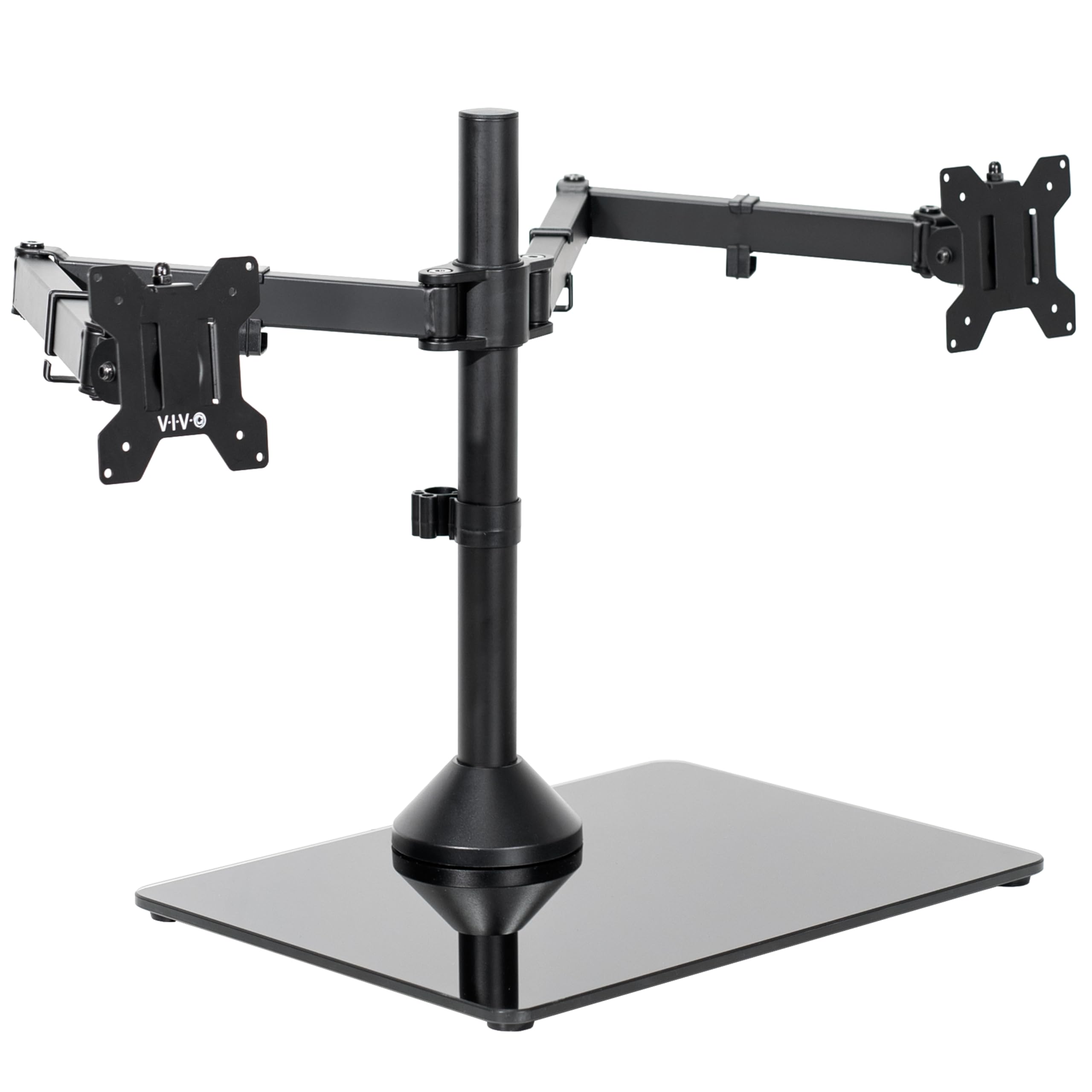
2,000+ ratings
Read Amazon ReviewsVIVO STAND-V038FG Dual Ultrawide Mount
Consider the STAND-V038FG if you prefer a tempered-glass base and can accommodate its 17-inch width. The STAND-V038F is the closer fit when its smaller listed base width better suits your desktop.
- The STAND-V038FG also supports two 13-to-38-inch screens up to 22 pounds each, with a 17 x 12.8 inch tempered-glass base and adjustable arms.
- The STAND-V038F uses a padded freestanding base measuring 16.3 x 12.8 inches and supports two screens up to 38 inches and 22 pounds each.
Computer Monitor Arms alternative
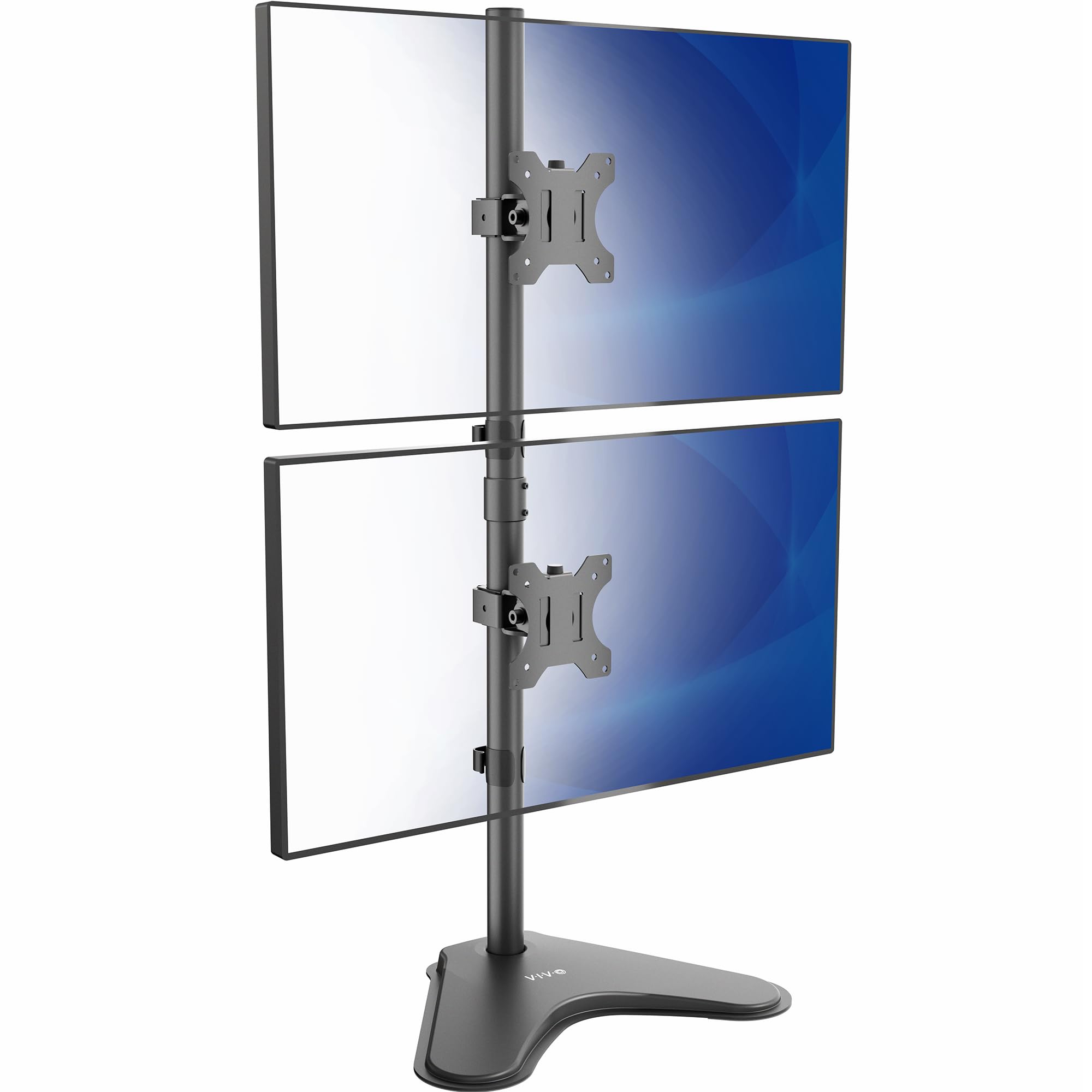
3,000+ ratings
Read Amazon ReviewsVIVO STAND-V002L Vertical Dual Monitor Stand
Choose the STAND-V002L if saving horizontal desk width with a top-and-bottom screen layout matters more than supporting screens up to 38 inches. The STAND-V038F suits buyers who want a side-by-side arrangement and its larger stated screen-size ceiling.
- The STAND-V002L is a freestanding stand designed to stack two screens vertically, with support for monitors up to 34 inches and 22 pounds each.
- The STAND-V038F arranges two supported screens on side-by-side arms above its freestanding base.
Is VIVO Dual Mount Worth It?
The VIVO STAND-V038F is worth considering for a two-screen desk that needs broad monitor compatibility, substantial positioning options, and freestanding placement.
Its 38-inch screen limit, 22-pound capacity per monitor, cable clips, and detachable VESA plates cover the core setup needs for many dual-display workspaces.
Buy it only after confirming your screens' weight and VESA pattern and measuring the base area.
The freestanding footprint and guidance about forward or backward placement are meaningful constraints, especially if the desk is compact or you regularly reposition screens by a large amount.
Your review at a glance
16,000+ ratings
Read Amazon ReviewsVIVO STAND-V038F Dual Monitor Mount
A freestanding dual-screen mount for desk users who need flexible positioning for two monitors, including ultrawides up to 38 inches.
- Holds two monitors sized 13 to 38 inches, up to 22 pounds per screen.
- Compatible with 75 x 75 mm and 100 x 100 mm backside VESA mounting holes.
- Arms provide +90 to -90 degree tilt, 180-degree swivel, 360-degree rotation, and height adjustment along the center pole.
- Freestanding base measures 16.3 x 12.8 inches and has padding underneath.