The SABRENT EC-DFLT is a straightforward way to connect a loose SATA hard drive or SSD to a computer without installing it in an enclosure.
This sabrent hard drive docking station review focuses on its SATA-only compatibility, USB-A connection, and the power needs to plan for before plugging in.
SABRENT EC-DFLT Review Summary
The quick verdict
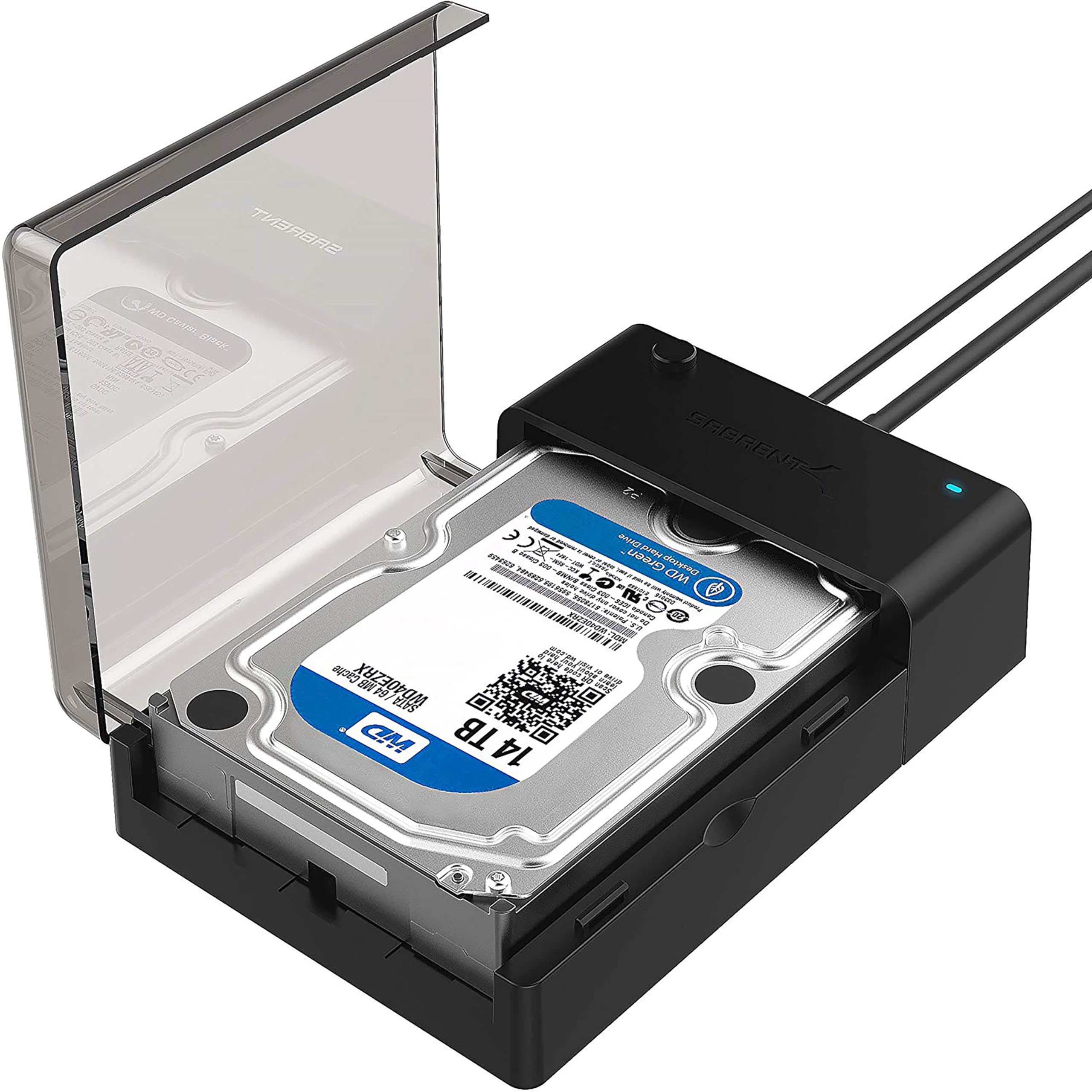
37,000+ ratings
Read Amazon ReviewsSABRENT EC-DFLT Lay-Flat Docking Station
A practical fit for buyers who need quick access to 2.5- or 3.5-inch SATA drives through a USB-A computer connection.
- Supports 2.5- and 3.5-inch SATA I, II, and III hard drives and solid-state drives.
- Connects to a computer through USB 3.0 Type-A; the host cable is included.
- Supports UASP when the host system is UASP-capable.
- Plug-and-play operation works with Windows 10/11, macOS, and Linux without additional drivers.

Pros
- Works with both common SATA drive sizes, including HDDs and SSDs.
- No driver installation is needed on the listed operating systems.
Consider before buying
- Limited to SATA; it cannot connect IDE/PATA, M.2 NVMe, M.2 SATA, SAS, or USB-connected drives.
- The USB-A host cable is best suited to a computer with a direct USB 3.0 Type-A port; hubs and USB 2.0 may lead to intermittent disconnections.
Read the full review summary
The EC-DFLT accepts 2.5- and 3.5-inch SATA I, II, and III hard drives and SSDs, with a USB 3.0 Type-A host cable and plug-and-play operation.
UASP support may help speed transfers when the computer supports the protocol, while the included 12V adapter supplies the power a 3.5-inch drive needs.
Its lay-flat dock format suits occasional access, transfers, and drive swaps without the added setup of a permanent internal installation.
This is a focused choice for someone working with standard SATA drives on a computer with a USB-A 3.0 port.
It does not accommodate IDE/PATA, M.2, SAS, or USB-connected drives, and a 3.5-inch disk needs a wall outlet for power.
The listed typical HDD transfer range is 100–160 MB/s; actual SSD speeds vary, and the host connection and drive also shape what a user sees.
The buying factors
SABRENT EC-DFLT Scorecard
Editorial scores reflect listed features and buyer fit; they are not laboratory measurements or customer ratings.
Drive-format flexibility
Handles both 2.5- and 3.5-inch SATA HDDs and SSDs, but does not cover other interfaces such as M.2 or IDE/PATA.
Setup simplicity
Plug-and-play use and no-driver operation make routine drive access straightforward on supported systems.
Host connection
USB 3.0 Type-A is familiar on many computers, though buyers need to check their available port and connect directly for stability.
Transfer potential
UASP support is useful with a compatible host, while typical HDD speeds are modest compared with what SSDs may offer.
Power planning
The included 12V adapter covers 3.5-inch drives; it does mean a wall outlet is part of the setup.
Drive diagnostics
S.M.A.R.T. diagnostics are not supported through the USB bridge, a relevant constraint for users who rely on that monitoring.
Key Features and Specifications of SABRENT EC-DFLT
- Supports 2.5- and 3.5-inch SATA I, II, and III hard drives and solid-state drives.
- Connects to a computer through USB 3.0 Type-A; the host cable is included.
- Supports UASP when the host system is UASP-capable.
- Plug-and-play operation works with Windows 10/11, macOS, and Linux without additional drivers.
- Hot-swappable operation and an LED activity indicator help with drive access and status.
- Includes a 12V AC power adapter. A 3.5-inch drive requires the adapter; 2.5-inch drives are generally bus-powered, with the adapter recommended for stability.
- S.M.A.R.T. diagnostics are not supported through the USB bridge; the drive itself is not included.
Pros and Cons of SABRENT EC-DFLT
Pros
- Works with both common SATA drive sizes, including HDDs and SSDs.
- No driver installation is needed on the listed operating systems.
- UASP support can take advantage of a compatible computer and drive.
- Includes the power adapter needed for 3.5-inch drives.
Consider before buying
- Limited to SATA; it cannot connect IDE/PATA, M.2 NVMe, M.2 SATA, SAS, or USB-connected drives.
- The USB-A host cable is best suited to a computer with a direct USB 3.0 Type-A port; hubs and USB 2.0 may lead to intermittent disconnections.
- A 3.5-inch drive requires a wall outlet, so this is less convenient where outlet access is limited.
- The USB bridge does not support S.M.A.R.T. diagnostics.
Who Should Buy SABRENT EC-DFLT?
Good fit
Consider the EC-DFLT if you want to access loose 2.5- or 3.5-inch SATA drives for file transfers, backups, or occasional maintenance.
Its no-driver setup and hot-swappable design suit a small workspace where drives are connected as needed rather than kept in a permanent enclosure.
Before buying, confirm the drive is a standard SATA model and that your computer has a direct USB 3.0 Type-A port.
If you plan to use a 3.5-inch drive, make sure a wall outlet is available for the included adapter. For a 2.5-inch drive, the adapter is still recommended for stability.
UASP may be useful if both your operating system and host hardware support it. Keep expectations grounded in the drive: the supplied typical HDD transfer range is 100–160 MB/s, while SSD speeds vary.
Who should skip it
Skip this dock if your drive is M.2, IDE/PATA, SAS, or connected through USB rather than SATA. Check the drive interface before purchasing, since a matching physical size alone does not establish compatibility.
Look elsewhere if S.M.A.R.T. diagnostics through the connection are essential to your workflow, or if you need a setup that avoids a wall adapter for 3.5-inch drives.
How the SABRENT EC-DFLT Fits a SATA Drive Workflow
SATA support and what to check
The dock serves the familiar 2.5- and 3.5-inch SATA categories across SATA I, II, and III.
That makes it useful for many bare laptop and desktop drives, but interface matters more than size: confirm the drive is SATA and not M.2, IDE/PATA, SAS, or a USB-connected external unit.
The product notes that some high-capacity enterprise drives may have limitations, so check compatibility for that use case.
USB connection and transfer expectations
A USB 3.0 Type-A cable links the dock to the host, and the guidance is to plug it directly into a USB 3.0 computer port. A hub or USB 2.0 port may cause intermittent disconnections.
UASP is supported, but it requires a capable host; the listed typical HDD transfer rate is 100–160 MB/s, and SSD results vary with the drive and system.
Power and desk setup
The included 12V adapter is required for 3.5-inch drives because USB alone cannot power them. The adapter is also recommended for 2.5-inch drives when stability is a priority.
This makes the station simple to use at a desk with an outlet nearby, though less convenient for a portable setup without one.
Operating systems and diagnostics
Windows 10/11, macOS, and Linux are listed for plug-and-play use without drivers, and the hot-swap design plus activity LED supports routine drive changes. One practical limitation is that S.M.A.R.T. diagnostics do not pass through the USB bridge.
If drive-health monitoring is part of your regular process, check whether your preferred tools can access the information another way before relying on this dock.
Alternatives to SABRENT EC-DFLT
Hard Drive Docking Stations alternative
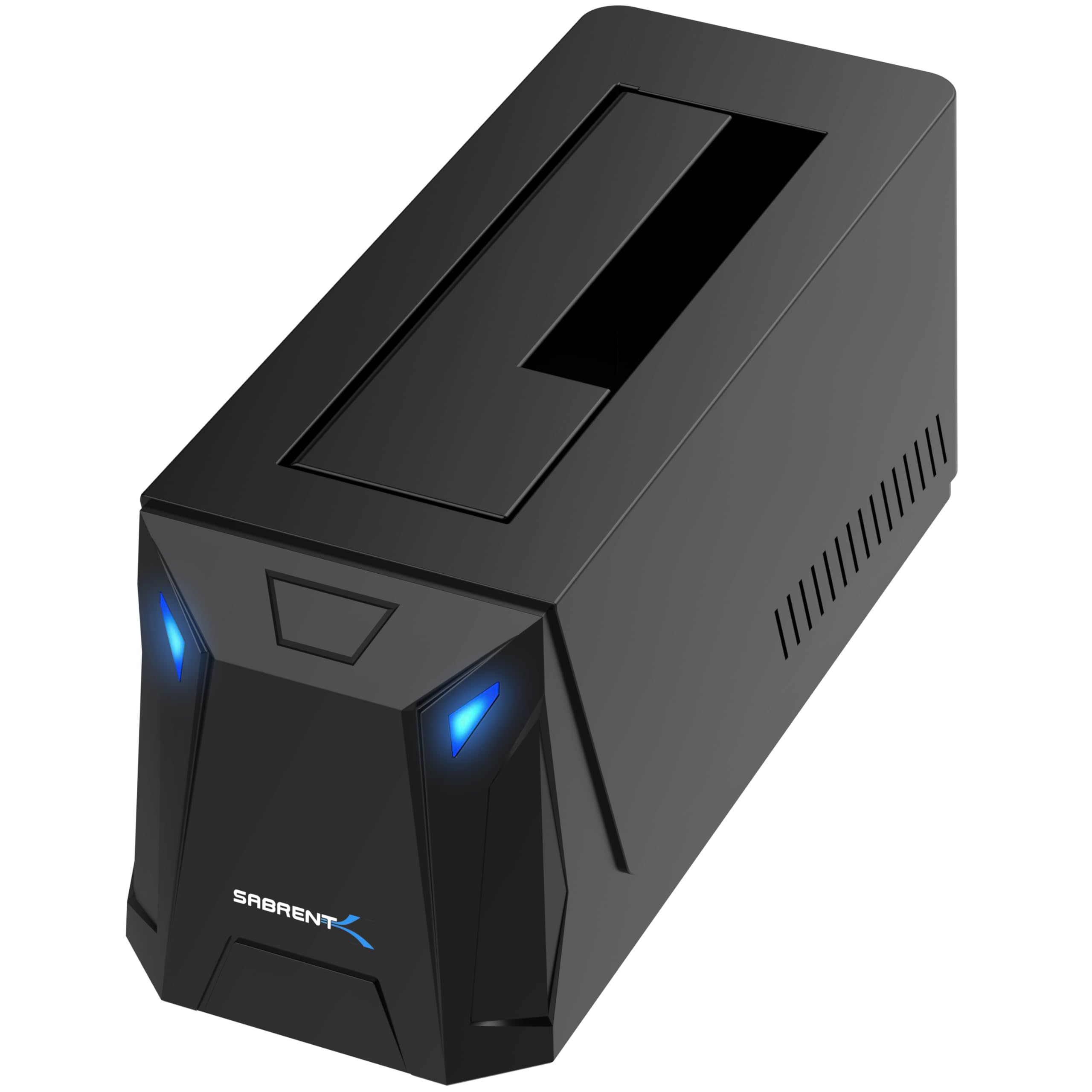
300+ ratings
Read Amazon ReviewsSABRENT DS-UC1B USB-C SATA Dock
Choose the DS-UC1B if your computer setup benefits from USB-C and you want the included cable options and dust cover.
The EC-DFLT is a better fit when a direct USB-A 3.0 connection meets your needs and you prefer its simpler listed feature set.
- The DS-UC1B also handles 2.5- and 3.5-inch SATA drives, but offers a USB-C connection rated up to 10Gbps, includes USB-A and USB-C cables, and has a tool-less bay with a retractable dust cover.
- The EC-DFLT supports 2.5- and 3.5-inch SATA drives over USB 3.0 Type-A, with UASP support and an included 12V adapter for 3.5-inch drives.
Hard Drive Docking Stations alternative

17,000+ ratings
Read Amazon ReviewsSABRENT EC-HD2B Dual-Bay Docking Station
Consider the EC-HD2B if you expect to work with two drives at once or want offline cloning as part of your workflow.
The EC-DFLT suits buyers who only need a simple connection for one drive and do not need those additional functions.
- The EC-HD2B has two bays for standard 2.5- and 3.5-inch SATA drives and includes an offline cloning function. Its listed USB 3.0 transfer ceiling is 5Gbps.
- The EC-DFLT is a single-drive lay-flat dock for 2.5- or 3.5-inch SATA drives, suited to connecting one drive at a time.
Is SABRENT EC-DFLT Worth It?
The SABRENT EC-DFLT is worth considering as a straightforward access dock for standard 2.5- and 3.5-inch SATA drives. Its plug-and-play approach, multi-size SATA support, and UASP capability cover the essentials for transfers and occasional drive access.
Buy it if your computer has a direct USB 3.0 Type-A port, your drive is SATA, and a wall outlet is available when using a 3.5-inch disk.
Choose a different dock if you need M.2 support, dual-drive cloning, USB-C, or S.M.A.R.T. diagnostics through the connection.
Your review at a glance
37,000+ ratings
Read Amazon ReviewsSABRENT EC-DFLT Lay-Flat Docking Station
A practical fit for buyers who need quick access to 2.5- or 3.5-inch SATA drives through a USB-A computer connection.
- Supports 2.5- and 3.5-inch SATA I, II, and III hard drives and solid-state drives.
- Connects to a computer through USB 3.0 Type-A; the host cable is included.
- Supports UASP when the host system is UASP-capable.
- Plug-and-play operation works with Windows 10/11, macOS, and Linux without additional drivers.