The best office headsets under 100 balance call controls, wearing comfort, and connections that fit your desk and devices. This guide compares work-focused options by microphone design, battery life, and wired or wireless flexibility so you can find a practical fit.
Quick Top Products
JLab JBuds Work Wireless Headset

- Over-ear headset with wireless or wired connections.
- Connects to two devices through Bluetooth multipoint.
- Includes a charging cable and 3.5mm AUX cable.
Best For: People who want long battery life, over-ear comfort, and multipoint connections for a busy workday.

JLab Go Work Pop Wireless Headset

- The rotating boom mic flips up to mute.
- Connects to two devices simultaneously by Bluetooth multipoint.
- Offers 50+ hours of wireless playtime.
Best For: Desk workers who want an on-ear headset with a boom mic that mutes by flipping it up.
JLab Go Work Wireless Headset

- Bluetooth multipoint connects two devices simultaneously.
- Includes a USB-C to 3.5mm cable for wired use.
- The boom mic has a red LED mute indicator.
Best For: People who want a compact work headset with Bluetooth multipoint, a wired option, and an on-mic mute indicator.
JLab Go Lux ANC Wireless Headphones
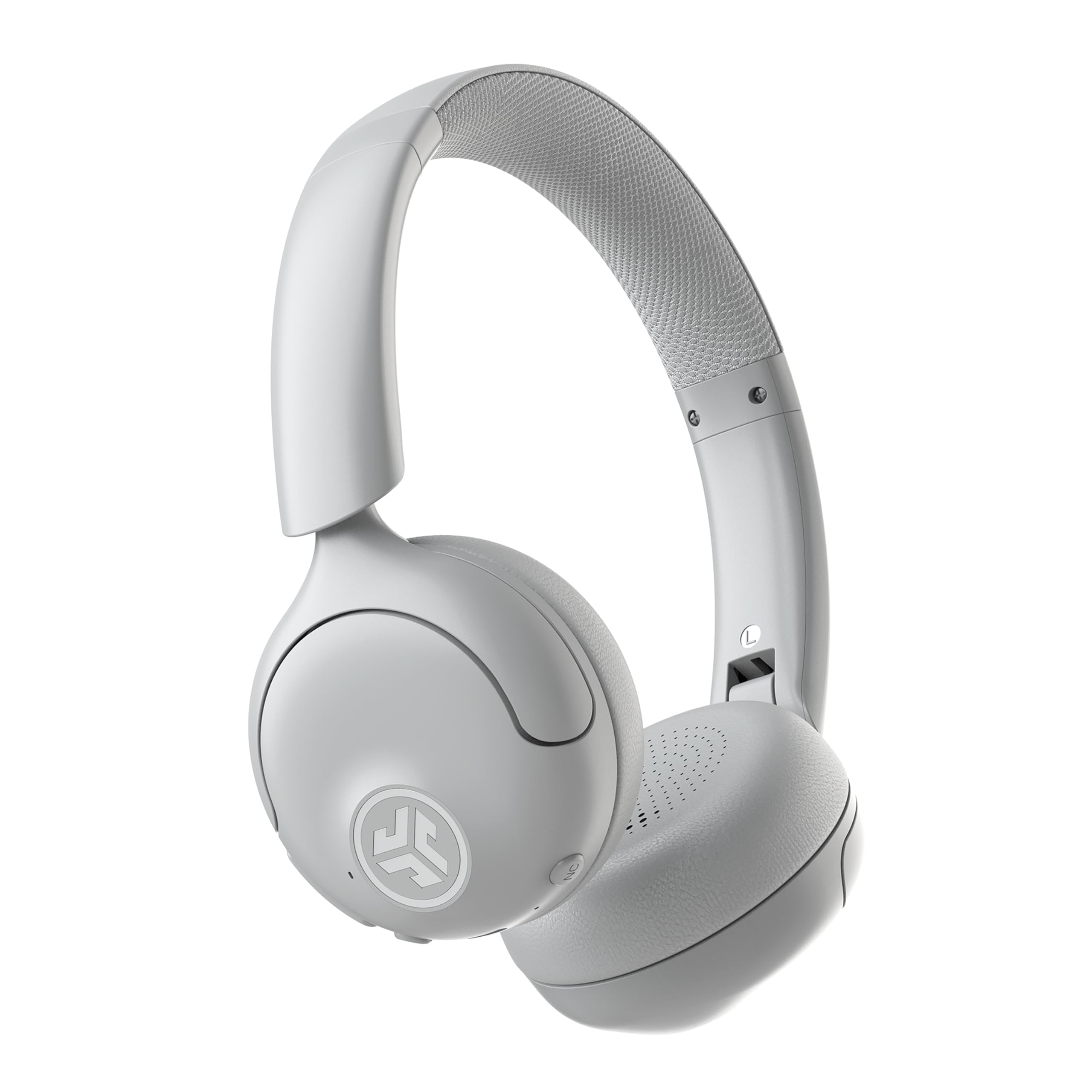
- Hybrid ANC reduces ambient noise by up to 30 dB.
- Bluetooth multipoint connects two devices simultaneously.
- The JLab app adjusts EQ, ANC, and Be Aware levels.
Best For: Workers who need noise reduction for focus and also want Bluetooth multipoint for calls and audio.
JLab Studio Wireless On-Ear Headphones

- Bluetooth 5 connects to iOS, Android, and PC.
- The integrated microphone supports calls and voice commands.
- Foldable design makes it easier to pack for travel or commuting.
Best For: People who want a low-cost wireless on-ear pair for occasional calls, commuting, and listening.
JLab JBuddies Studio Wireless Headphones
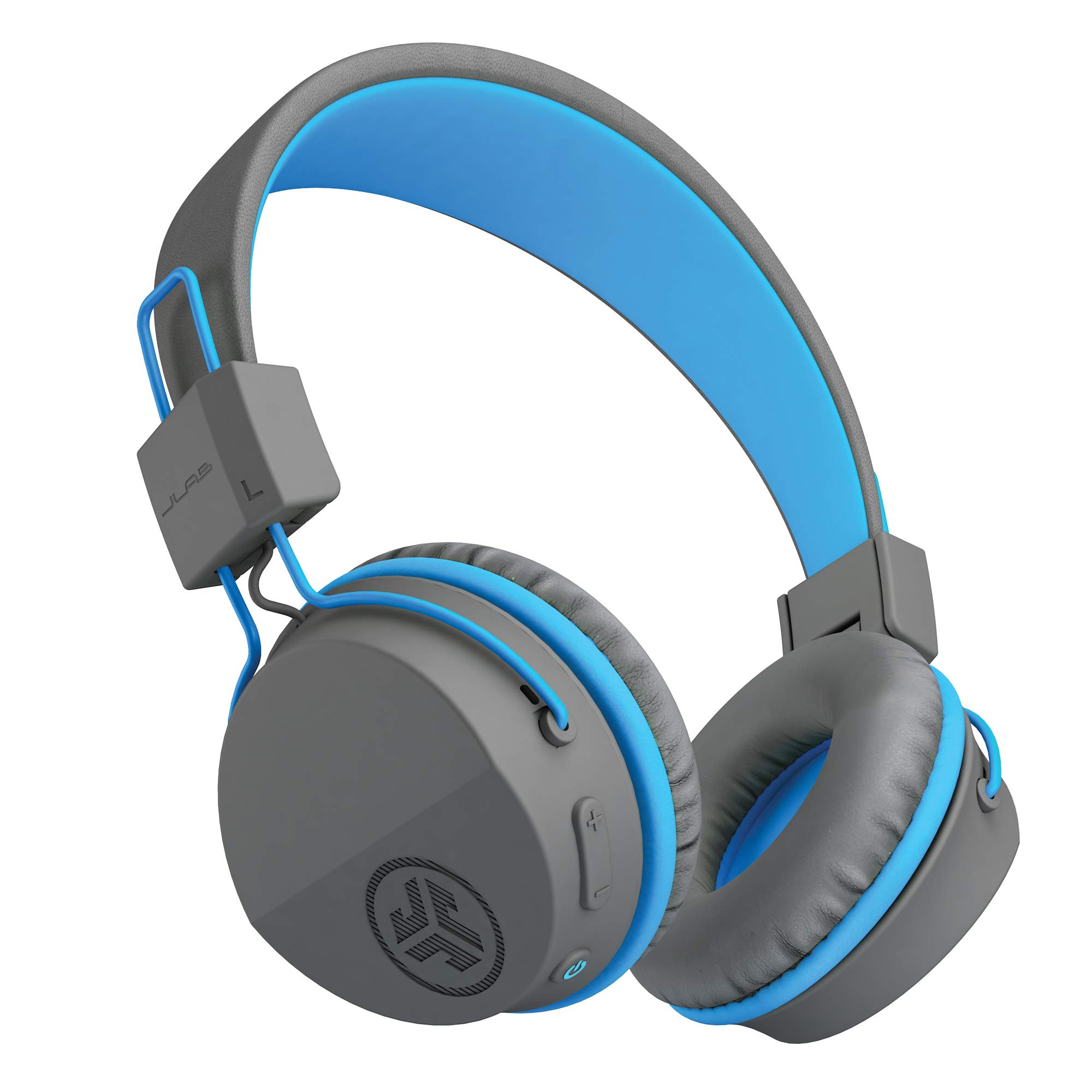
- Wireless battery life is 13 hours.
- Built-in volume limiter supports kid-safe listening.
- Built-in mic and on-ear controls support calls and virtual learning.
Best For: Children who need wireless headphones with a built-in volume limiter for school or home learning.
JLab JBuddies Studio 2 Wired Headphones
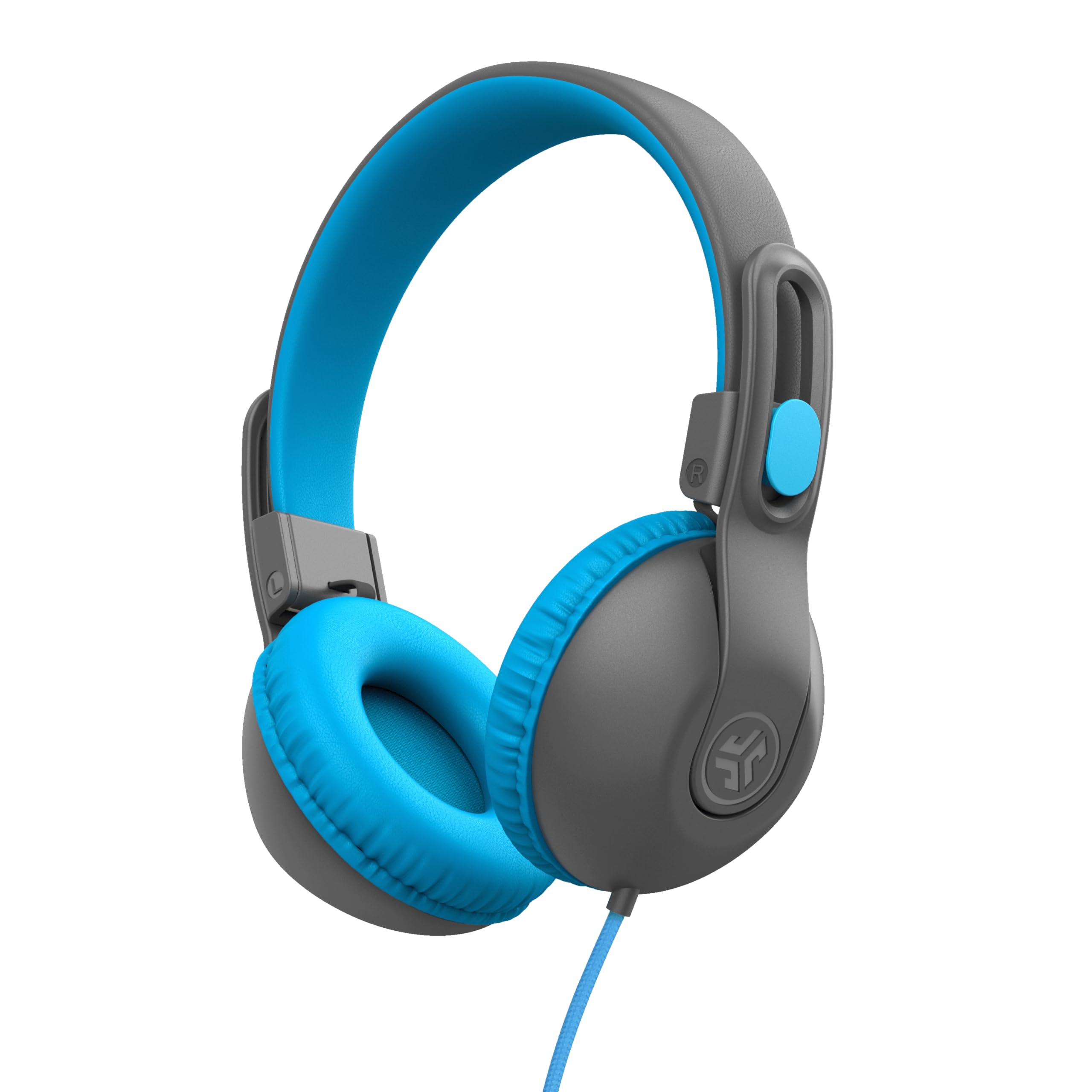
- The 3.5 mm wired connection includes an inline mic.
- Volume regulators are designed to limit sound to 85 dB.
- Adjustable frame and folding ear cups are suited to carrying in a backpack.
Best For: Families looking for wired, volume-limited headphones with a microphone for children's classes.
Long-Running Over-Ear Work Headset
JLab JBuds Work Wireless Headset with Microphone, Over Ear Computer Headsets, Wired or Wireless Headphones with 60+ Playtime, Multipoint Bluetooth Headset for Laptop Teams, Office with Mic (16 Pack)
The JLab JBuds Work pairs an over-ear fit with wireless and wired listening, making it a flexible choice for computer calls and mobile use. Bluetooth multipoint connects two devices at once, while the included USB-C to 3.5mm cable offers a wired option.
Its boom microphone has a mute indicator, and flipping the mic up or down can manage calls. The 60+ hour playtime suits people who prefer fewer charging breaks.
This offer is a 16-pack, so check the quantity carefully: it may suit an office purchase, but is less convenient for someone seeking one headset.
Best For: People who want long battery life, over-ear comfort, and multipoint connections for a busy workday.
| Pros | Cons |
|---|---|
|
|
Choose this headset when you need several work headsets or want an over-ear model with both wireless and cable options. Its 60+ hour playtime and two-device multipoint connection fit a work setup that alternates between computer and phone.
The key tradeoff is the 16-pack quantity, which makes this offer more suitable for equipping a team than replacing one personal headset. Check that the bundle size and included cables match your purchasing needs.
Flip-to-Mute On-Ear Pick
JLab Go Work Pop, On-Ear Wireless Headset, Bluetooth Multipoint, Noise Canceling Boom Mic, Black
The JLab Go Work Pop keeps its work features straightforward: Bluetooth multipoint connects a computer and phone, while the rotating boom mic flips up to mute and down for calls. Its 50+ hours of stated wireless playtime can cover extended work sessions between charges.
Voice and Music EQ modes let you switch between calls and listening, and the lightweight on-ear design has Cloud Foam earcups. It is a practical choice for people who want quick mic control and wireless convenience.
If your computer requires a wired connection, check compatibility first, since a wired mode is not specified here.
Best For: Desk workers who want an on-ear headset with a boom mic that mutes by flipping it up.
| Pros | Cons |
|---|---|
|
|
This is a strong fit for a desk where calls and music share the same headset. The flip-up boom mic gives you a physical mute action, and Bluetooth multipoint can keep a PC and phone connected together.
Its on-ear format is lighter and more portable than an over-ear work headset, though fit preference varies. Before buying, confirm your work setup supports Bluetooth, especially if you expect to use it with a desktop computer.
Dual-Mode Work Headset With Mute Light
JLab Go Work Wireless Headsets with Microphone, 45+ Playtime PC Bluetooth Headset and Multipoint Connect to Laptop Computer and Mobile, Wired or Wireless Headphones (1 Pack)
The JLab Go Work is an on-ear headset built around work calls and device switching. Bluetooth multipoint can connect two devices at once, and the included USB-C to 3.5mm cable provides a wired listening option.
Its boom mic uses dual microphones for calls and has a red LED mute indicator, while the headset buttons handle volume, playback, and mute. The 45+ hour playtime and Cloud Foam earcups suit longer sessions.
Choose it if you want both connection modes and visible mute status; confirm that the included cable fits your computer or other intended device.
Best For: People who want a compact work headset with Bluetooth multipoint, a wired option, and an on-mic mute indicator.
| Pros | Cons |
|---|---|
|
|
Pick the Go Work if you value device switching and a physical mute indicator on a personal work headset. It includes both wireless multipoint and a wired cable, which gives more connection options than a Bluetooth-only model.
Its on-ear design is less enclosing than the over-ear JBuds Work, and its stated playtime is shorter. Check which port your computer has before relying on the included cable for wired calls.
Noise-Reducing On-Ear Listening Option
JLab, Go Lux ANC, On Ear Headphones, Active Noise Cancelling, Bluetooth MultIPoint, Cloud White
The JLab Go Lux ANC is an on-ear Bluetooth headset centered on listening comfort and noise control. Hybrid active noise cancelling reduces ambient noise by up to 30 dB, and Be Aware mode lets surrounding sound back in.
Multipoint can connect two devices, while the JLab app offers EQ and ANC adjustments. The Cloud Foam earcups and headband support longer listening sessions, and the stated playtime is up to 50 hours.
This model's title does not identify a boom microphone, so check microphone style and call performance needs before choosing it as a primary meeting headset.
Best For: Workers who need noise reduction for focus and also want Bluetooth multipoint for calls and audio.
| Pros | Cons |
|---|---|
|
|
Choose the Go Lux ANC if reducing surrounding noise is a priority and you also want multipoint connections for work and personal devices. Its ANC and Be Aware mode provide distinct listening options, while the app can tune those settings.
Compared with call-centered JLab models that explicitly include boom microphones, this record does not establish a boom mic. Check the microphone setup before relying on it for frequent calls.
Foldable Wireless Headphones for Calls
JLab, Studio, Wireless On-Ear Headphones, Bluetooth, Foldable, Built-in Mic, Black
The JLab Studio is a general-purpose wireless headphone with an integrated microphone, rather than a dedicated boom-mic office headset. Its foldable design and Cloud Foam cushions make it easy to carry between home, work, and commuting.
Bluetooth 5 supports connections with phones, tablets, and PCs, and the stated playtime is 30+ hours. Three EQ presets tailor music playback.
It can handle casual calls and voice commands, but people who need a visible mute control or call-focused boom microphone should consider a work-specific model instead.
Best For: People who want a low-cost wireless on-ear pair for occasional calls, commuting, and listening.
| Pros | Cons |
|---|---|
|
|
This is a reasonable pick if your headset needs are split between listening and occasional calls. It offers long Bluetooth playtime, a foldable frame, and a built-in microphone, while its EQ presets focus on music preferences.
The tradeoff is call control: no boom mic or dedicated mute indicator is specified. For daily video meetings, a work headset with an adjustable boom and physical mute control is a more targeted fit.
Wireless Headset for Younger Learners
JLab JBuddies Studio Wireless on-Ear Kids Headphones with mic, Graphite/Blue
The JLab JBuddies Studio Wireless is designed for children rather than general office use, but its built-in microphone and Bluetooth connection can support virtual learning and calls. A volume limiter and Studio Volume Safe technology are intended to keep listening at kid-safe levels.
The Cloud Foam cushions, padded headband, and folding design suit travel and school bags. Its 13-hour wireless battery life is more limited than the work-focused choices here.
For an adult office headset, look elsewhere; this option belongs in the roundup for family learning setups that need a mic and wireless connection.
Best For: Children who need wireless headphones with a built-in volume limiter for school or home learning.
| Pros | Cons |
|---|---|
|
|
This model makes sense for a child joining remote lessons or calls, where a volume limiter and built-in mic are more relevant than office call controls. The folding wireless design is easy to carry, but its 13-hour battery life is much shorter than the adult work headsets in this selection.
Choose it for supervised learning use, not as a first choice for a professional desk headset.
Wired Headset for Student Calls
JLab JBuddies Studio 2 On-Ear Kids Wired Headphones, Grey/Blue, Toddler Headphones, Kid Safe, Studio Volume Safe, Volume Limiter, Folding, Adjustable, Noise Isolation, with Mic
The JLab JBuddies Studio 2 uses a wired 3.5 mm connection, so it does not depend on charging or Bluetooth pairing. It includes an inline microphone and a built-in volume regulator designed to keep sound from exceeding 85 dB.
The adjustable frame, folding design, and rotating ear cups suit school use and travel. This child-focused headset can work for virtual classes and basic calls, but its fit, sound controls, and microphone arrangement target younger users.
Adults shopping for an office headset should prioritize models with work-specific boom mics and call controls.
Best For: Families looking for wired, volume-limited headphones with a microphone for children's classes.
| Pros | Cons |
|---|---|
|
|
Choose the Studio 2 for a child who needs wired headphones for classes, especially when you want to avoid charging and pairing. Its inline mic covers basic calls, and the foldable, adjustable frame is travel friendly.
It is less suitable for adult office use than the JLab Go Work models because it is child-focused and lacks a documented boom microphone or dedicated mute control. Check that the device has a 3.5 mm jack.
How to Choose Office Headsets Under 100
How We Picked Office Headsets Under $100
We prioritized products with features that help during work calls: a microphone, simple mute or call controls, and connections suited to computers and phones. The JLab Go Work and JBuds Work stand out for boom microphones and multipoint pairing.
Models with integrated microphones or listening-focused noise cancellation can still suit lighter call schedules, but their controls and mic style deserve closer checking.
We also considered wearing style and battery needs. On-ear headsets are compact, while the JBuds Work provides an over-ear option.
The 45+, 50+, and 60+ hour figures apply to different products and are stated playtime, not a guarantee of the same runtime in every use. Child-focused models appear only as learning-call alternatives, not adult office recommendations.
Comparing Office Headsets for Calls and Daily Work
The work-specific JLab options differ most in microphone setup and wearing style. The Go Work has a red mute indicator and a wired cable; the Go Work Pop uses a flip-up mute boom and lists 50+ hours of wireless playtime.
The JBuds Work adds an over-ear design and 60+ hour playtime, but this offer is a 16-pack, so quantity matters as much as features.
Other choices emphasize listening or a particular audience. The Go Lux ANC focuses on noise reduction and app tuning, while Studio Wireless is a foldable general-listening pair with an integrated mic.
JBuddies models add volume limiting for children, with one wireless and one wired example. The comparison table below summarizes their documented differences.
| Product | Standout features | Best for |
|---|---|---|
| JLab JBuds Work Wireless HeadsetCheck Price |
| People who want long battery life, over-ear comfort, and multipoint connections for a busy workday. |
| JLab Go Work Pop Wireless HeadsetCheck Price |
| Desk workers who want an on-ear headset with a boom mic that mutes by flipping it up. |
| JLab Go Work Wireless HeadsetCheck Price |
| People who want a compact work headset with Bluetooth multipoint, a wired option, and an on-mic mute indicator. |
| JLab Go Lux ANC Wireless HeadphonesCheck Price |
| Workers who need noise reduction for focus and also want Bluetooth multipoint for calls and audio. |
| JLab Studio Wireless On-Ear HeadphonesCheck Price |
| People who want a low-cost wireless on-ear pair for occasional calls, commuting, and listening. |
| JLab JBuddies Studio Wireless HeadphonesCheck Price |
| Children who need wireless headphones with a built-in volume limiter for school or home learning. |
| JLab JBuddies Studio 2 Wired HeadphonesCheck Price |
| Families looking for wired, volume-limited headphones with a microphone for children's classes. |
Choosing a Microphone and Mute Setup
For frequent meetings, look for a boom mic that can move out of the way and a mute action that is easy to find. The Go Work Pop flips its mic up to mute, while the Go Work adds a red LED to indicate mute status.
The JBuds Work also has a red indicator and call control through mic movement.
An integrated microphone can be enough for occasional calls, but the selected Studio Wireless and JBuddies headphones do not document the same boom-mic arrangement. Confirm whether your call app and computer expose the controls you need, particularly if quick muting is part of your routine.
Wireless, Wired, and Multipoint Connections
Bluetooth multipoint is useful when you want to keep a computer and phone connected together. The Go Work and Go Work Pop explicitly support two-device multipoint, as does the JBuds Work.
If your desktop has unreliable Bluetooth or your workplace requires wired audio, the Go Work includes a USB-C to 3.5mm cable; the JBuddies Studio 2 uses a 3.5 mm wired connection.
Check device ports before buying. A cable with a 3.5 mm plug may require an adapter for equipment without that jack, and a wireless headset's compatibility depends on the computer's Bluetooth setup.
The Go Lux ANC combines multipoint with app controls, but a boom microphone is not specified for it.
Who Should Buy Which Office Headset?
For a personal work headset with visible mute status and two connection modes, consider the JLab Go Work. Choose the Go Work Pop for flip-up muting and a lighter on-ear format, or the JBuds Work if you prefer over-ear coverage and need a multi-unit offer for a team.
For noise reduction while listening, the Go Lux ANC offers ANC and Be Aware modes, though its microphone setup needs checking for meeting-heavy schedules. The Studio Wireless can serve casual calls and everyday listening.
For children's remote learning, the JBuddies options add volume limiting; choose wireless for a cable-free setup or the Studio 2 when a 3.5 mm wired connection is preferred.