The best audio mixers for a creator depend on whether you need gaming chat controls, streaming effects, or inputs for vocals and instruments. Compare device support and microphone connections first, then choose the controls and monitoring features that fit your setup.
Quick Top Products
FIFINE Ampli 1 Audio Mixer
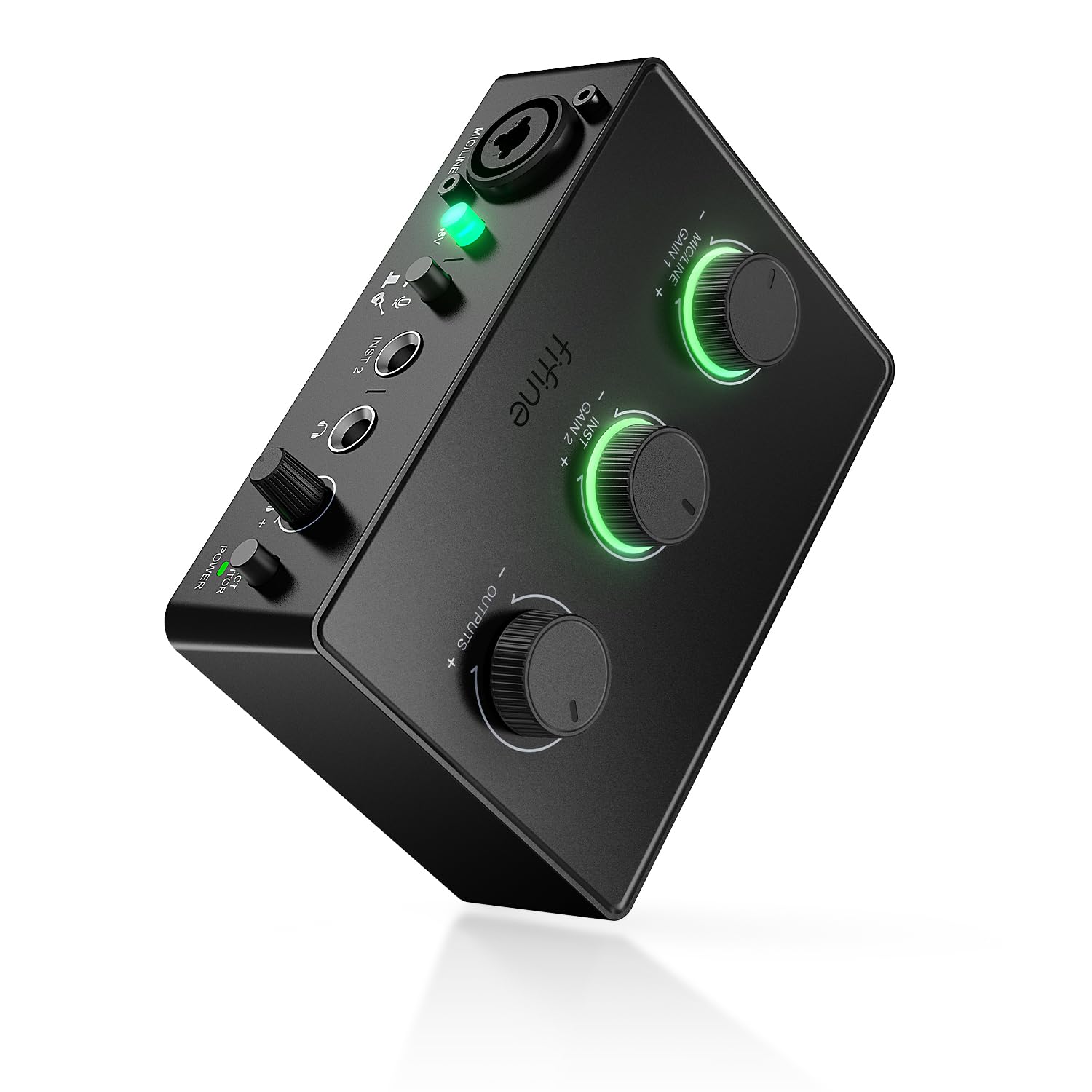
- Connect an XLR microphone and an instrument through separate inputs.
- Use 48V phantom power and adjust microphone gain at the mixer.
- Monitor recordings in real time with a dedicated control.
Best For: Home creators connecting an XLR microphone and an instrument to a Mac or PC.

FIFINE AmpliGame SC8P
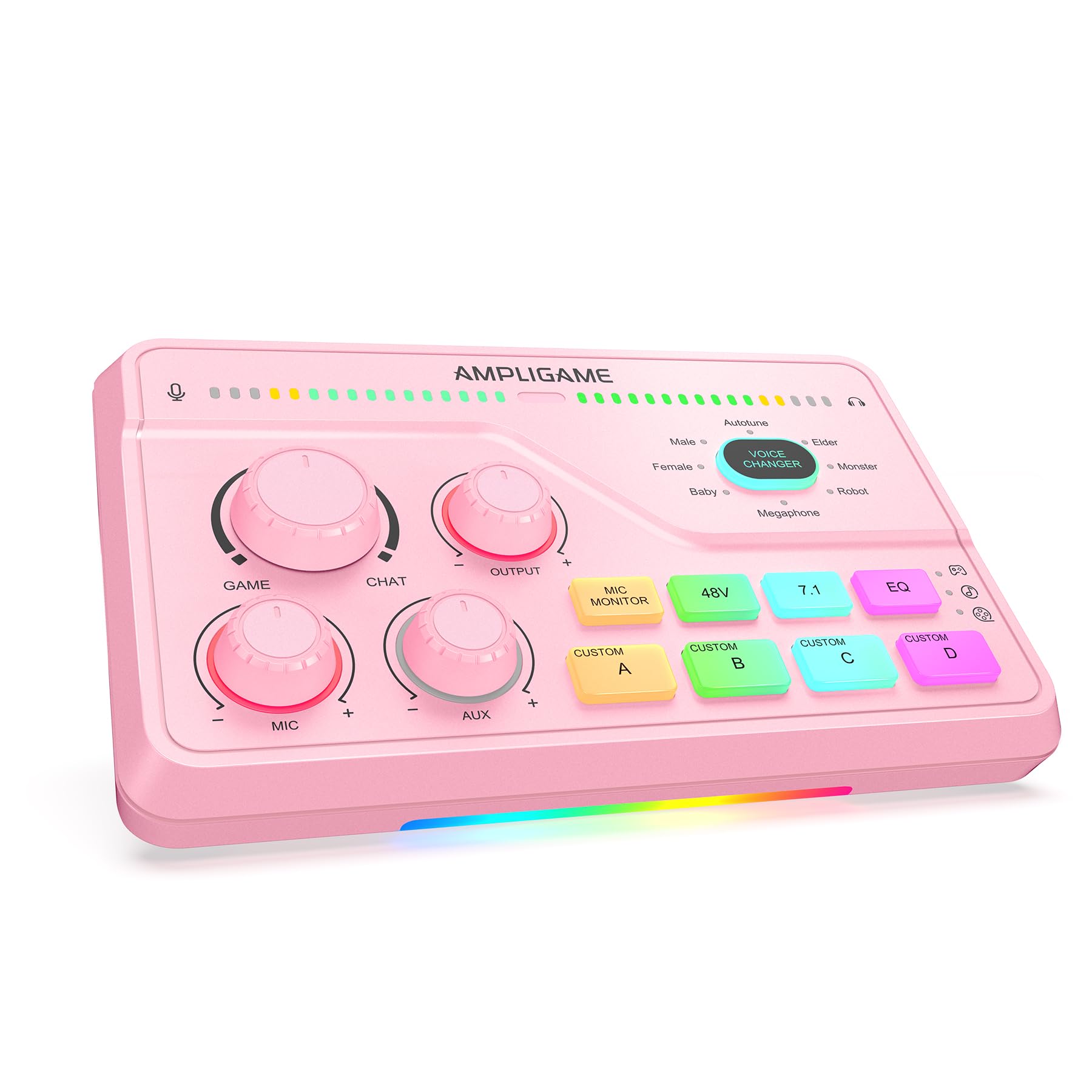
- Adjust microphone, game audio, and background music with separate knobs.
- Switch between three EQ modes with virtual 7.1 sound.
- Connect to a PS4 or TV via optical AUX, or use USB-C plug-and-play with PC, PS5, Switch, or mobile devices.
Best For: Gamers and streamers who want separate game, microphone, and background audio controls.
FIFINE AmpliGame SC8W
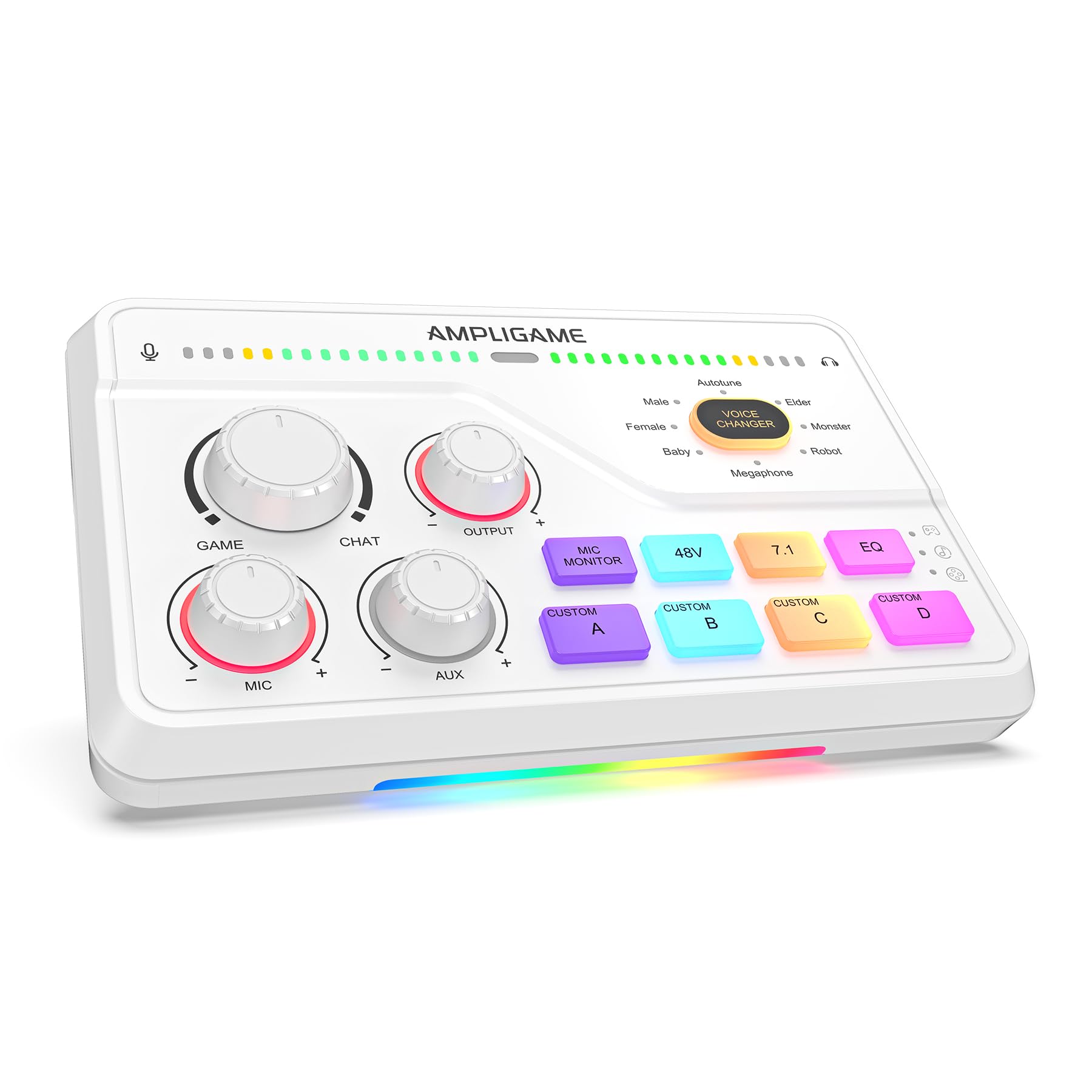
- Balance game audio and team communication with a dedicated dial.
- Choose among eight voice effects and four customizable sound keys.
- Connect through USB-C, optical AUX, or 3.5 mm AUX input, depending on your setup.
Best For: Console and PC players who want a dedicated game/chat dial and voice effects.
FIFINE AmpliGame SC8
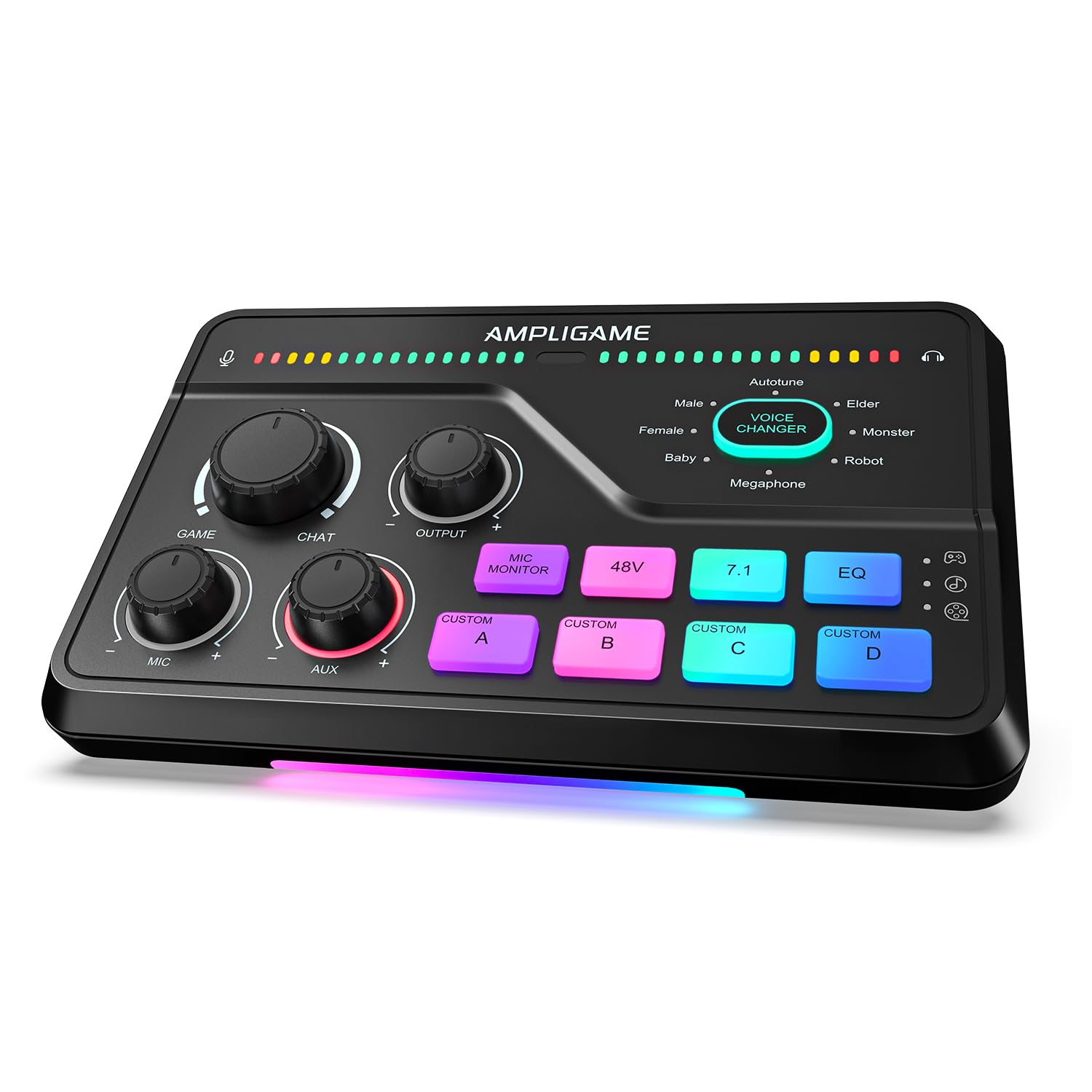
- Use a dedicated dial to balance game audio and chat.
- Choose from three EQ presets and virtual 7.1 sound.
- Connect an XLR microphone with 48V phantom power and a Dynamic/Condenser toggle.
Best For: Streamers who want game/chat balancing, customizable audio keys, and support for XLR microphones.
FIFINE AmpliGame SC3
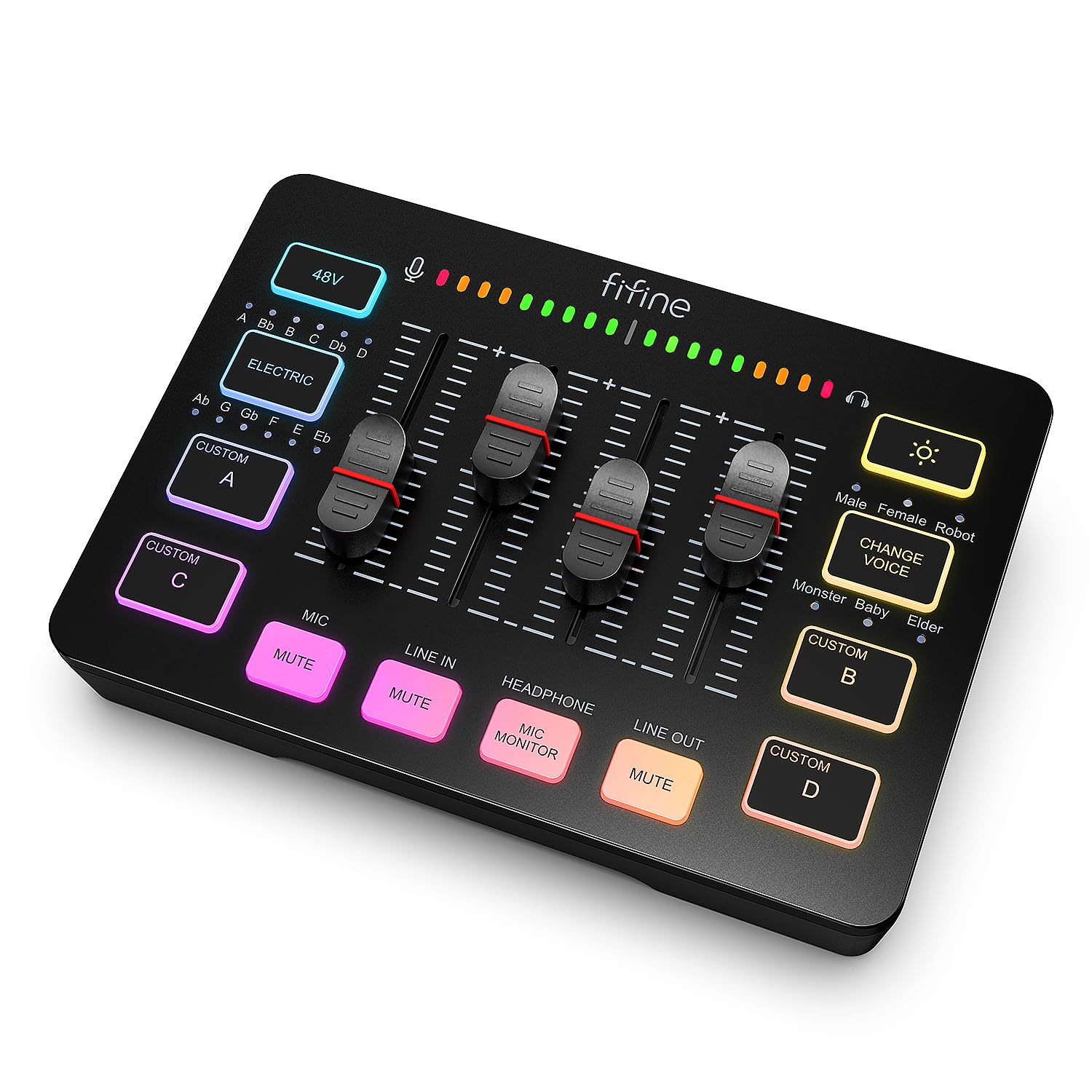
- Control mic, line-in, headphone, and line-out levels separately.
- Use front-panel mute and monitoring buttons.
- Add saved sounds or voice effects to a stream.
Best For: Beginning streamers who want physical channel controls, XLR input, and quick sound effects.
MAONO MaonoCaster G1 NEO
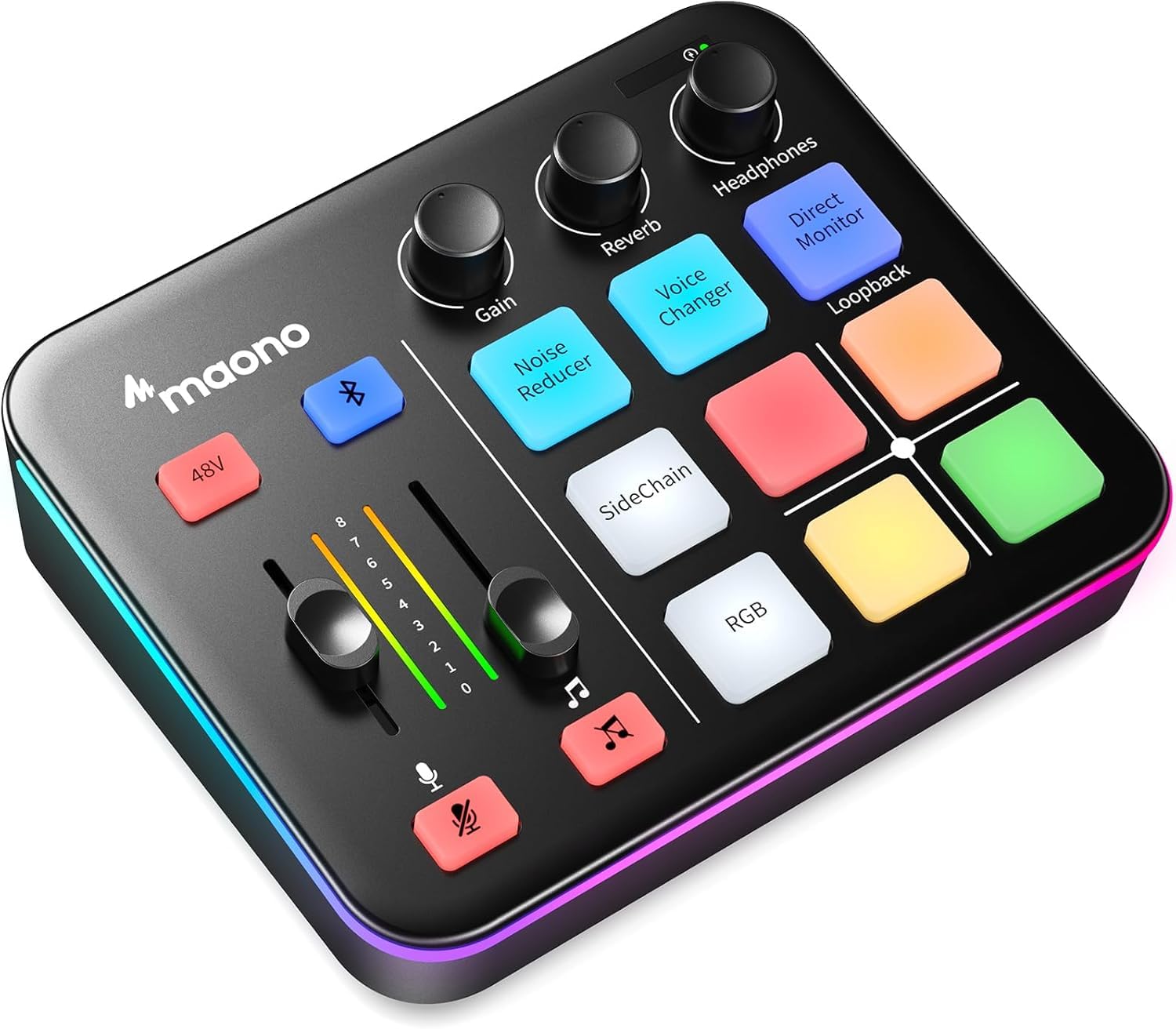
- Connect an XLR microphone with 48V phantom power.
- Add Bluetooth accompaniment and use one-click mute or loopback.
- Works with phones, computers, tablets, PS4, and PS5.
Best For: New streamers using an XLR microphone who want Bluetooth audio and voice effects.
FIFINE AmpliGame SC3W
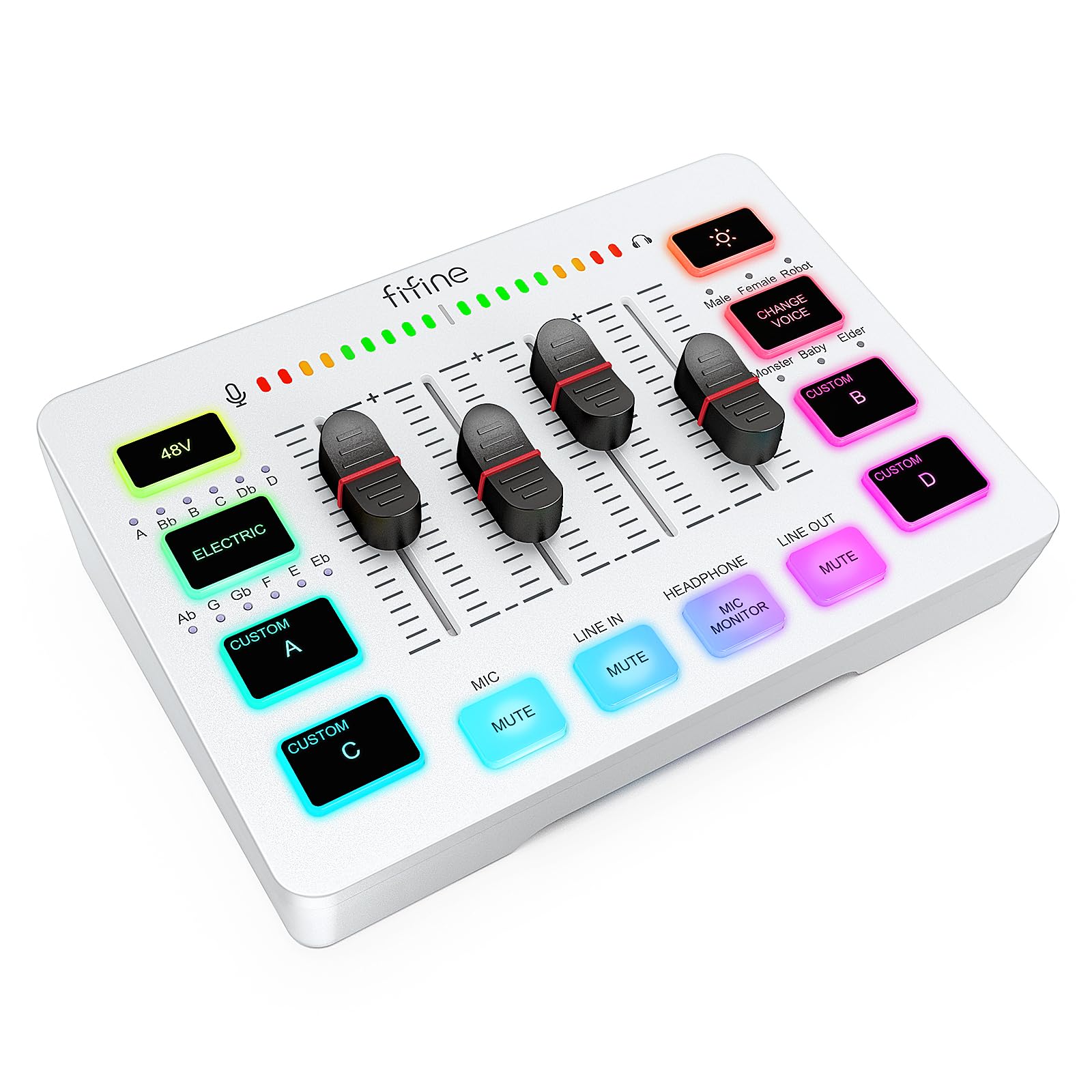
- Adjust four channels individually using the volume fader.
- Connect an XLR microphone with built-in 48V phantom power.
- Use rear ports for a dual-PC streaming setup or other audio devices.
Best For: Gaming streamers who want a physical fader, separate device channels, and dual-PC connections.
Instrument and Vocal Recording
FIFINE PC Audio Mixer for Recording Music, USB Interface for Streaming and Podcasting with XLR, Monitor, 48V Phantom Power, Gain Knob, for Instrument Guitar/Video Content Creation/Vocal-Ampli 1
The FIFINE Ampli 1 pairs an XLR microphone input with a dedicated instrument input, making it a practical fit for creators who record vocals and guitar or bass through one compact interface. Its 48V phantom power supports condenser microphones, while the mic gain and separate output knobs provide direct level control.
Direct monitoring has its own volume knob for listening during recording. The tradeoff is focus: this model emphasizes recording inputs and monitoring, rather than gaming chat tools, voice effects, or streaming sound pads.
Choose it when instrument connection matters more than entertainment controls.
Best For: Home creators connecting an XLR microphone and an instrument to a Mac or PC.
| Pros | Cons |
|---|---|
|
|
Choose the Ampli 1 if your audio mixer needs to handle an XLR mic and a guitar or bass for recording. Its dedicated inputs and direct-monitor control suit that task better than gaming-focused voice effects.
Check which connection cables your setup requires, since included cables are not specified. If your main goal is game and chat balancing, compare the other FIFINE gaming mixer instead.
Gaming Audio With 7.1 Virtual Surround
FIFINE Streaming Audio Mixer with XLR Mic Interface & 7.1 Surround Sound, Gaming RGB Mixer for PC/PS4 with Individual Volume Knob, 3 EQ Mode, 48V Phantom Power,Voice Changer-AmpliGame SC8P
The FIFINE SC8P centers on gaming and live-stream audio, with three volume knobs for microphone, game audio, and background music. Its virtual 7.1 surround sound, three EQ modes, and mic monitoring add options for tailoring headphone playback and checking your voice.
USB-C plug-and-play supports PC, PS5, Switch, and mobile devices, while optical AUX connects to a PS4 or TV. The XLR input has 48V phantom power, and four instant-access keys can trigger assigned sounds.
Choose it for hands-on game and voice control; it is more specialized than a recording interface with instrument inputs.
Best For: Gamers and streamers who want separate game, microphone, and background audio controls.
| Pros | Cons |
|---|---|
|
|
Pick the SC8P when game, mic, and background audio need separate physical controls and you want EQ modes and virtual surround in the same unit. Its USB-C and optical connections cover different device setups, so confirm which one your console or TV requires before buying.
The supplied notes do not clarify USB microphone support or cable inclusion; verify both if they affect your setup.
Game and Chat Balance Dial
FIFINE Audio Mixer for Gaming with 7.1ch Surround Sound-Volume Knob-Mute-Voice Chat, RGB Computer Mixer with XLR Mic Interface Compatible wtih TV for Live Streaming-AmpliGame SC8W
The FIFINE SC8W gives game and team chat their own balance dial, alongside three knobs for on-the-fly volume adjustment. Its virtual 7.1 surround and acoustic presets target headphone listening during gaming, while eight voice effects and four customizable sound keys add options for chat or streaming.
The mixer supports USB-C plug-and-play with PC, PS5, Switch, and mobile devices; optical AUX connects to a PS4 or TV, and a 3.5 mm AUX input accommodates additional audio. Its emphasis is game communication and effects, so creators seeking a dedicated instrument input should consider a mixer designed around instrument recording.
Best For: Console and PC players who want a dedicated game/chat dial and voice effects.
| Pros | Cons |
|---|---|
|
|
Choose the SC8W if you expect to adjust game and chat balance during play and want voice effects or sound keys for streams. Its connection options can suit a mixed console and PC setup, but check the audio outputs on each device before choosing between USB-C and optical AUX.
The product facts do not clarify USB microphone support or whether an XLR cable is included, so confirm those details if relevant.
Eight Voice Effects and Game Controls
Fifine Gaming Mixer for Voice Chat and Streaming- 7.1ch Surround Sound Headphone Amp-XLR Preamp-USB Plug & Play-Voice Changer-RGB-Volume Control-3 EQ Modes Ampligame SC8
The FIFINE AmpliGame SC8 combines a Game/Chat balance dial with virtual 7.1 sound and three EQ presets for gaming and streaming. Three push-mute knobs adjust microphone, game, and background audio, while four customizable buttons trigger saved audio.
The XLR input provides 48V phantom power, and its Dynamic/Condenser toggle supports either microphone type. USB-C plug-and-play works with PC, PS5, Switch, and mobile devices, with optical AUX for PS4 or TV.
USB microphones are explicitly unsupported, and the XLR cable is not included, so factor in microphone and cable compatibility before buying.
Best For: Streamers who want game/chat balancing, customizable audio keys, and support for XLR microphones.
| Pros | Cons |
|---|---|
|
|
The SC8 fits streamers who want game/chat balancing, fast mute and volume adjustments, and customizable sound buttons. Its microphone setup requires an XLR mic; USB microphones are unsupported, and the XLR cable must be obtained separately.
Check whether your console or PC setup calls for USB-C or optical AUX. Compared with the Ampli 1, the SC8 favors gaming controls and playback options over a dedicated instrument input.
Four Independent Streaming Channels
FIFINE Gaming Audio Mixer, Streaming RGB PC Mixer with XLR Microphone Interface, Individual Control, Volume Fader, Mute Button, 48V Phantom Power, for Podcast/Recording/Vocal/Game Voice-AmpliGame SC3
The FIFINE AmpliGame SC3 offers four independent level controls for microphone, line in, headphones, and line out, giving streamers a hands-on way to manage common audio paths. An XLR input with 48V phantom power supports condenser microphones, while front mute and monitor buttons provide controls for audio adjustment.
It also has four customizable sound buttons and voice-changing modes, plus connections for two-PC setups and audio mixing. The product notes specify Mac and Windows plug-and-play support.
Choose this model when channel-level control and streaming effects matter; an XLR cable is not included, so plan for that separately.
Best For: Beginning streamers who want physical channel controls, XLR input, and quick sound effects.
| Pros | Cons |
|---|---|
|
|
Pick the SC3 if you want separate physical levels for a microphone, line input, headphones, and line output, along with quick mute and monitor access. Its two-PC support and sound effects make it oriented toward streaming workflows.
Account for the separately sourced XLR cable if you plan to use an XLR microphone. Console compatibility is not established here, so verify your device connections before choosing it for a console-first setup.
Compact Mixer With Bluetooth Accompaniment
MAONO Gaming Audio Mixer, Audio Interface with Pro-preamp, RGB, Bluetooth, 48V Phantom Power for Live Streaming, Podcasting, Content Create, Gaming MaonoCaster G1 NEO (Not for USB Mic)
The MAONO MaonoCaster G1 NEO pairs XLR microphone support and 48V phantom power with one-click noise reduction, direct monitoring, and loopback. Bluetooth accompaniment input lets a streamer add external audio, while customizable sound pads and voice-changing effects provide ways to shape a broadcast.
It works with phones, computers, tablets, PS4, and PS5, and supports common streaming and video-call software. Its stated exclusions matter: it does not work with USB microphones, Xbox, or MAONO devices.
The gain range is given as -45dB to -55dB, so check that the microphone and intended connection suit this mixer before buying.
Best For: New streamers using an XLR microphone who want Bluetooth audio and voice effects.
| Pros | Cons |
|---|---|
|
|
The G1 NEO suits a streamer who wants Bluetooth accompaniment, one-click controls, and sound effects around an XLR microphone. Its device support includes PS4 and PS5, but excludes Xbox, USB microphones, and MAONO devices, so check compatibility before settling on it.
The product facts do not clarify whether an XLR cable comes in the box. For separate physical game and chat balancing, consider the FIFINE gaming mixer options instead.
Dual-PC Streaming and Fader Control
FIFINE Audio Mixer, Gaming Streaming PC Mixer with Slider Fader, XLR Microphone Interface, Monitoring, for Video/Game Voice/Podcast Recording-AmpliGame SC3W
The FIFINE AmpliGame SC3W is a streaming-focused mixer with four individual control channels and a volume fader for hands-on adjustment. Its XLR microphone input has built-in 48V phantom power for condenser microphones, while mute and real-time monitoring provide controls for live use.
Multiple rear audio ports support a dual-PC setup or connections to different audio devices. Voice changing, customizable sound buttons, and RGB lighting add entertainment features for gaming streams.
Choose it for that combination of fader control and flexible streaming connections; confirm the exact ports your computers and other audio devices need before choosing.
Best For: Gaming streamers who want a physical fader, separate device channels, and dual-PC connections.
| Pros | Cons |
|---|---|
|
|
Choose the SC3W if your streaming workflow benefits from a physical fader, individual channel controls, and dual-PC connections. It also supplies XLR phantom power, mute, and monitoring without being centered on virtual surround or a dedicated game/chat dial.
Check the connection types required by both computers and any additional audio gear; included cable details and console support are not specified.
How to Choose Audio Mixers
How We Picked Audio Mixers
We selected seven distinct models across streaming, gaming, podcasting, and instrument recording. Each has a stated role as an audio mixer or audio interface and provides useful audio controls or connections for one of those tasks.
The group includes XLR-focused models, options with dedicated instrument input, and gaming units with separate chat controls or effects.
A good fit depends on the setup. A podcaster or home recorder may value microphone gain and direct monitoring, while a gamer may want a physical game/chat dial and separate volume controls.
For dual-PC streaming, the ports and channel layout matter more than RGB lighting. We considered those differences so the options address distinct workflows.
Comparing Audio Mixers for Streaming and Recording
The biggest divide is between recording-oriented inputs and gaming-oriented playback controls. The FIFINE Ampli 1 has a dedicated instrument input alongside XLR, which makes it the clearest fit here for guitar or bass recording.
The AmpliGame SC3 and SC3W put more emphasis on physical channel adjustment and streaming connections. The SC3 separates microphone, line-in, headphone, and line-out levels; the SC3W adds a fader and notes dual-PC support.
For game audio, the SC8, SC8P, and SC8W include virtual 7.1 sound and controls for adjusting game-related audio. The SC8 has a dedicated Game/Chat dial, as does the SC8W; the SC8P instead highlights separate mic, game, and background-music knobs with three EQ modes.
MAONO's G1 NEO brings Bluetooth accompaniment and loopback, while the FIFINE gaming models add their own sound effects or customizable keys.
| Product | Standout features | Best for |
|---|---|---|
| FIFINE Ampli 1 Audio MixerCheck Price |
| Home creators connecting an XLR microphone and an instrument to a Mac or PC. |
| FIFINE AmpliGame SC8PCheck Price |
| Gamers and streamers who want separate game, microphone, and background audio controls. |
| FIFINE AmpliGame SC8WCheck Price |
| Console and PC players who want a dedicated game/chat dial and voice effects. |
| FIFINE AmpliGame SC8Check Price |
| Streamers who want game/chat balancing, customizable audio keys, and support for XLR microphones. |
| FIFINE AmpliGame SC3Check Price |
| Beginning streamers who want physical channel controls, XLR input, and quick sound effects. |
| MAONO MaonoCaster G1 NEOCheck Price |
| New streamers using an XLR microphone who want Bluetooth audio and voice effects. |
| FIFINE AmpliGame SC3WCheck Price |
| Gaming streamers who want a physical fader, separate device channels, and dual-PC connections. |
Check Microphone and Device Connections
Confirm the microphone connection before comparing extra features. Several mixers here support XLR microphones and 48V phantom power, but USB microphone compatibility varies: the MAONO G1 NEO and FIFINE SC8 explicitly exclude USB microphones.
The SC8 also does not include an XLR cable. Cable inclusion is not specified for several other candidates, so plan around the inputs your microphone needs.
Device support differs, too. The SC8 family notes USB-C support for PC, PS5, Switch, or mobile devices, plus optical AUX for PS4 or TV.
The G1 NEO lists PS4 and PS5, along with phones, computers, and tablets, but excludes Xbox. The recording-focused Ampli 1 supports Mac and PC.
Before buying, match those stated connections to your console, computer, headphones, and any instrument.
Choosing an Audio Mixer for Your Workday or Stream
Think through which controls need to be reachable while recording or live. Direct monitoring is central on the Ampli 1 and appears on the G1 NEO; the SC3 has front mute and monitor buttons.
For stream mixing, the SC3W has a volume fader and four independent channels. The SC8 models focus more on changing game and chat levels without leaving play.
Effects should follow the same practical logic. Voice changing and sound pads can support an interactive stream, but they do not replace the input connections or monitoring you need.
Compare those features after checking device compatibility and the number of separate audio paths you want to control.
Who Should Buy Which Audio Mixer?
For vocals plus guitar or bass recording, start with the FIFINE Ampli 1 because it includes a dedicated instrument input. For game/chat balancing, compare the FIFINE SC8 and SC8W, then consider the SC8P if separate mic, game, and background audio knobs and three EQ modes better suit your habits.
The MAONO G1 NEO makes sense for a compatible XLR streaming setup that uses Bluetooth accompaniment or loopback.
For hands-on channel control in a stream, compare the SC3's channel levels with the SC3W's fader and dual-PC support. Whichever audio mixer you choose, verify microphone type, cable needs, and the audio connections on your devices before choosing.